One client for every major provider
Nine built-in provider presets. Pick one and the endpoint and region are filled in for you — all that is left is your access key and secret key. Anything not listed works too, via any S3-compatible endpoint.

Open source · Apache-2.0
A simple, beautiful object storage client
One client for nine major providers and any S3-compatible service. Large files are split and transferred in parallel, interrupted transfers pick up where they left off, and progress, speed, and concurrency are all visible and adjustable.
macOS · Windows · Linux
Need a different platform or architecture? See all download options ↓
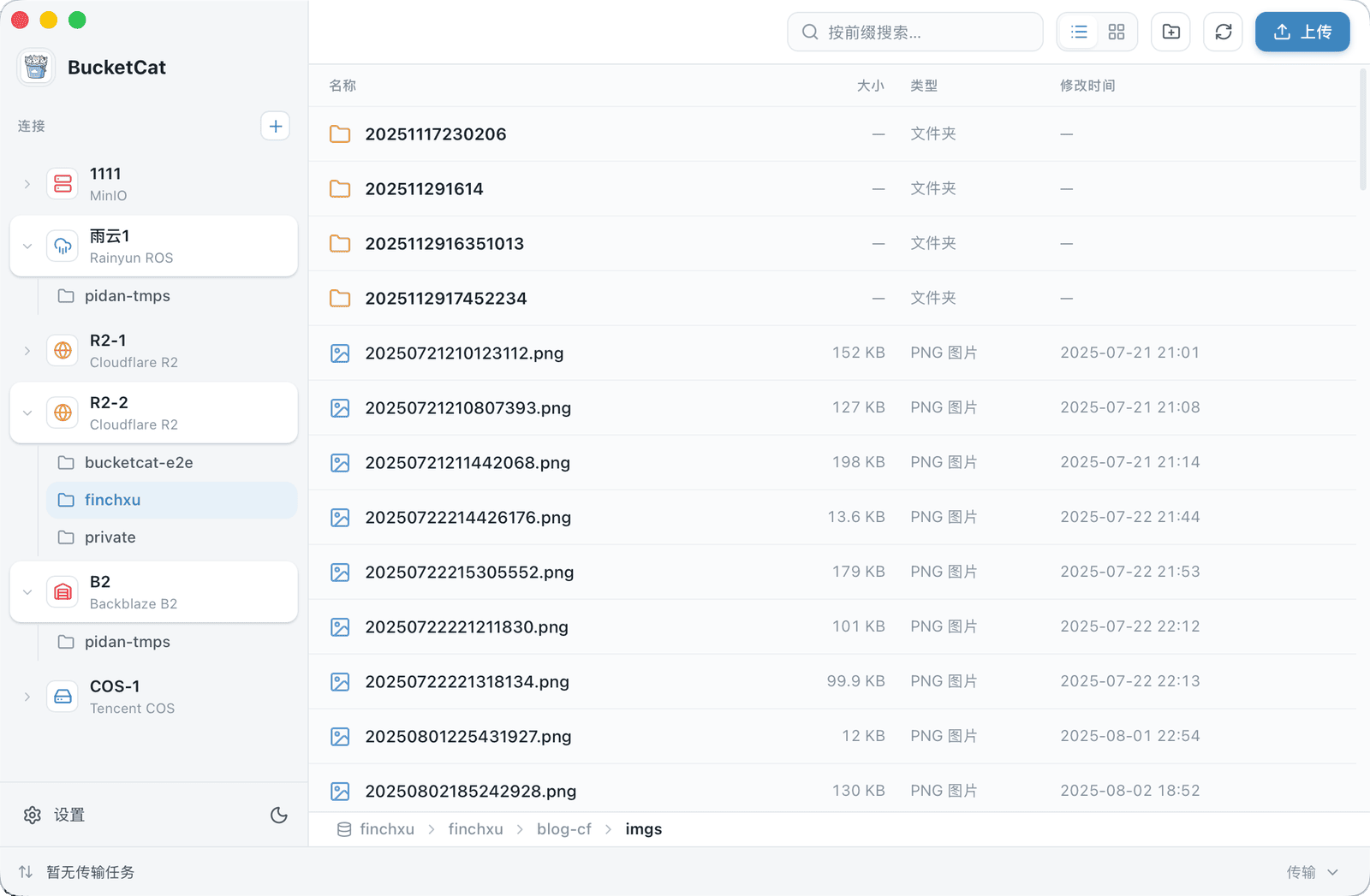
Built around what you actually do every day
Nine built-in provider presets. Pick one and the endpoint and region are filled in for you — all that is left is your access key and secret key. Anything not listed works too, via any S3-compatible endpoint.
Files over 16 MiB are split automatically, with part size scaling to the file, and uploads and downloads both run several parts at once.
Progress is checkpointed atomically to disk, and downloads land in a separate .bcpart staging file that is only renamed into place once every part has arrived. Restart the app and transfers pick up where they left off.
Pause, resume, cancel, and retry are always available. Progress, speed, and time remaining update live, and you can tune how many tasks run at once and how many parts each task transfers in parallel.
Pick a provider when creating a connection and the endpoint and region are filled in for you — all that is left is your access key and secret key.
Plus any S3-compatible service — for anything not listed, just enter the endpoint and region by hand.
Installers are hosted on GitHub Releases. The links below always point at the newest version.
bucketcat_macOS-arm64.dmgDownloadbucketcat_macOS-x64.dmgDownloadbucketcat_windows-x64-setup.exeDownloadbucketcat_windows-arm64-setup.exeDownloadbucketcat_linux-x64.AppImageDownloadbucketcat_linux-x64.debDownloadmacOS
Open the dmg and drag BucketCat into Applications. Builds are signed and notarized, so Gatekeeper lets them through.
Windows
Run the installer. Builds are not code-signed yet, so SmartScreen will warn on first run — click More info, then Run anyway.
Linux
Run chmod +x on the AppImage and launch it directly. A deb package is available too.
Once installed, the app checks for a new version each time it starts and marks the settings entry with a small dot when one is available — no popups, no automatic downloads. You can check manually and install in one click under Settings › Updates (deb users should update through their package manager).